Back to Personal Projects
Jaune — Primordial Yellow — Private Project

CRP56

Private Desktop Polymorphic Encryption & Compression Engine

CRP56 is a private Ruby core + Electron desktop app for text and file encryption, compression, phrase storage, and secure payload handling. The Ruby core owns the crypto and compression logic, while Electron provides a stylable desktop shell with FMOD-powered audio feedback.

2026 Ruby 3.4.9 OpenSSL Zlib Electron Node.js FMOD JSON Private

Encryption Pipeline Visualiser

This visualizer mirrors the real 8-stage cryptographic operations inside the Ruby core.

Speed
— Ready. Enter text and press Encrypt. — Mutations 0
Plaintext
Input
Phrase Slot
& Salt
PBKDF2
Key Derivation
Compression
Shard
Layout
AES-256-CBC
Per Shard
HMAC-SHA256
Tag
Payload
Assembly
Plaintext Bytes
Salt / KDF / Shard Prep
Cipher + HMAC Payload
Assembled Payload Awaiting encryption run...
Stage Detail
Hover a stage node or press Encrypt to see per-stage descriptions.

FMOD Audio Layer Visualiser

A themed mockup of CRP56's desktop audio layer — mixer groups, live UI sound triggers, and volume/mute controls. This panel visually represents how FMOD routes SFX and music inside the Electron shell; it does not play real audio in the browser.

— FMOD Mixer Idle — Triggers 0
Master
SFX
Music
Signal Detail
Click a trigger to route a sound through FMOD's mixer groups, or drag a slider to preview mix level changes.

Menace-Core Architecture

Ruby Core

The ruby-core/ folder is the source of truth. Text and file encryption, compression, phrase storage, payload formatting, and error handling live here. OpenSSL, Zlib, JSON, Base64, and SecureRandom run directly in plain Ruby.

Electron Shell

Electron is the presentation layer only. It owns the windows, renderer, and preload APIs. It does not contain crypto logic — that stays behind the bridge in the Ruby core.

Bridge Layer

A private ruby_bridge.js process manages JSON messages between Electron's main process and the Ruby core over stdin/stdout IPC, keeping encryption out of the renderer and out of reach of the UI.

FMOD Audio

FMOD runs on the Electron side and handles UI sound categories, music playback, mixer groups, and volume/mute controls. Audio stays on the desktop layer — it never enters the encryption engine.

Core Capabilities

Ruby Core Encryption Engine

Independent Ruby core responsible for text & file encryption/decryption, compression, phrase storage, payload formatting, and strict error handling using OpenSSL and Zlib.

Electron Desktop Shell

Electron drives the desktop UI, navigation, and window lifecycle, treating itself as the presentation layer around the Ruby logic instead of the business engine.

Secure Ruby Bridge

Electron communicates with the Ruby core through a constrained bridge process that exchanges JSON messages over stdin/stdout or private IPC, keeping crypto logic out of the renderer.

FMOD Audio Layer

FMOD integrates on the Electron side to handle UI sound categories, music playback, mixer groups, and volume/mute controls without polluting the Ruby encryption engine.

Layered Architecture

Clearly separated responsibilities: Ruby for logic, Electron for UI and desktop runtime, FMOD for audio. This mirrors modern multi-process desktop architectures and keeps refactors safe.

Migration-Friendly Design

CRP56 is rebuilt in stages: encryption, compression, payloads, phrases, bridge integration, FMOD audio, and UI replacement. Each stage preserves behavior while moving away from the legacy WPF build.
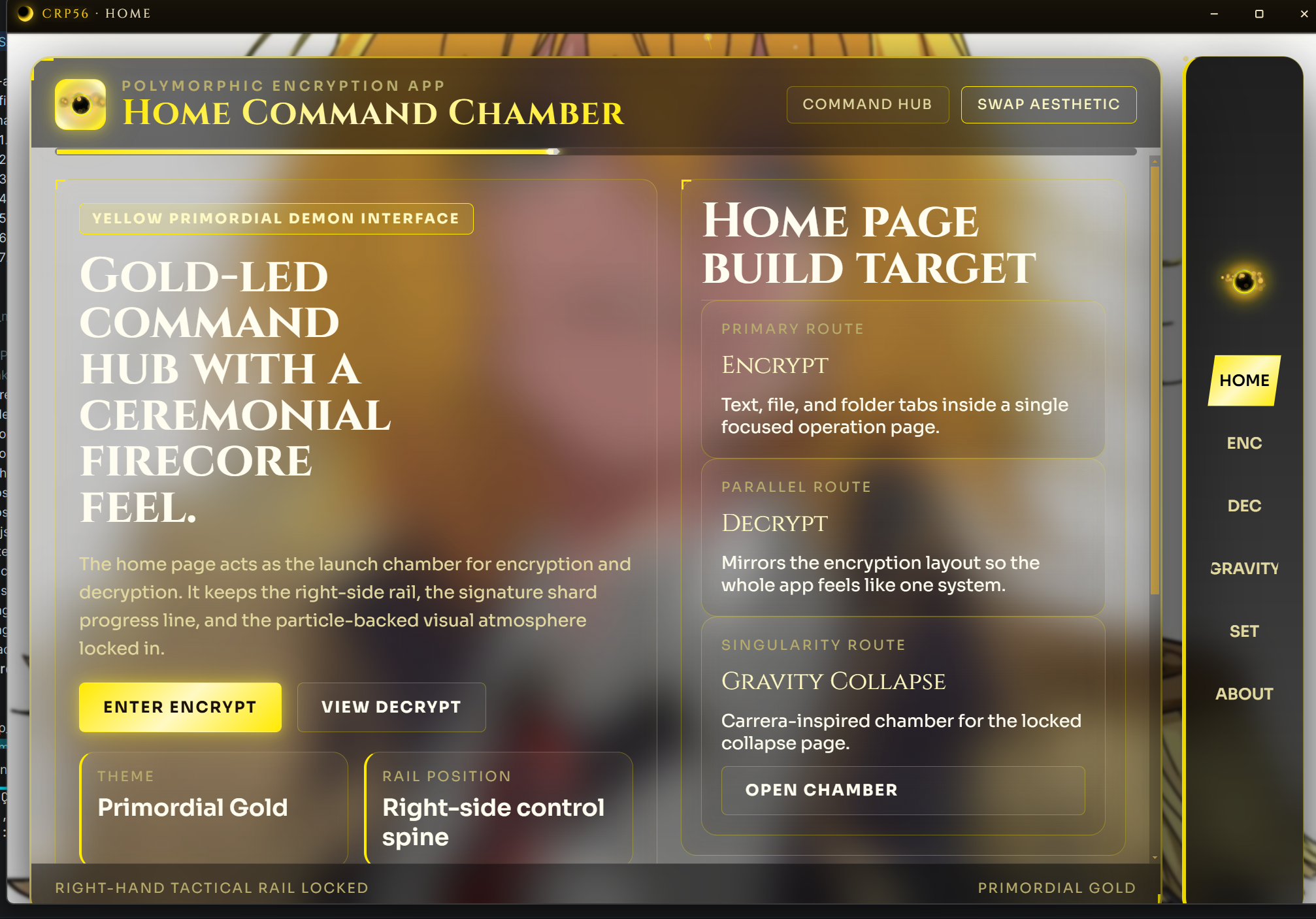
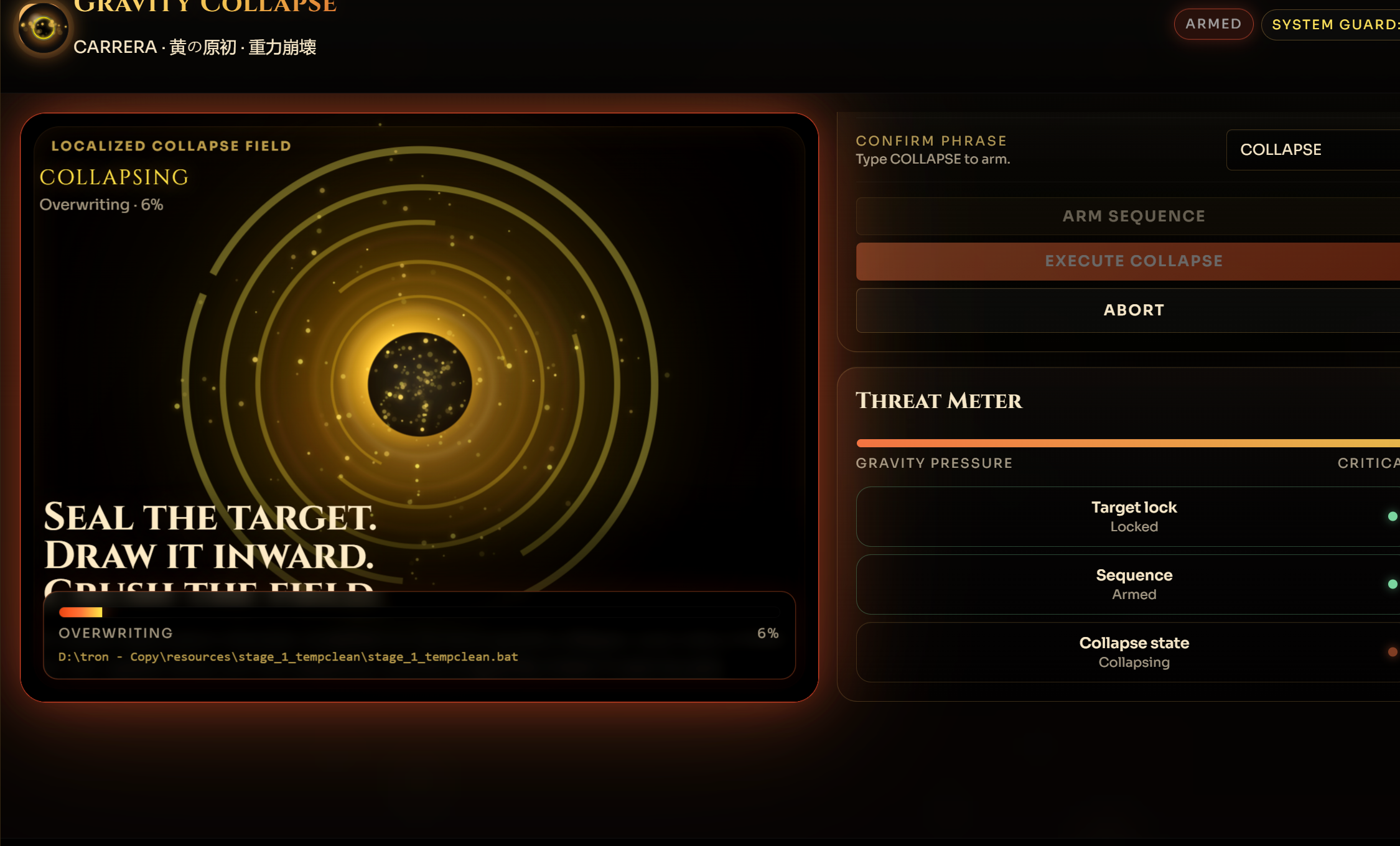
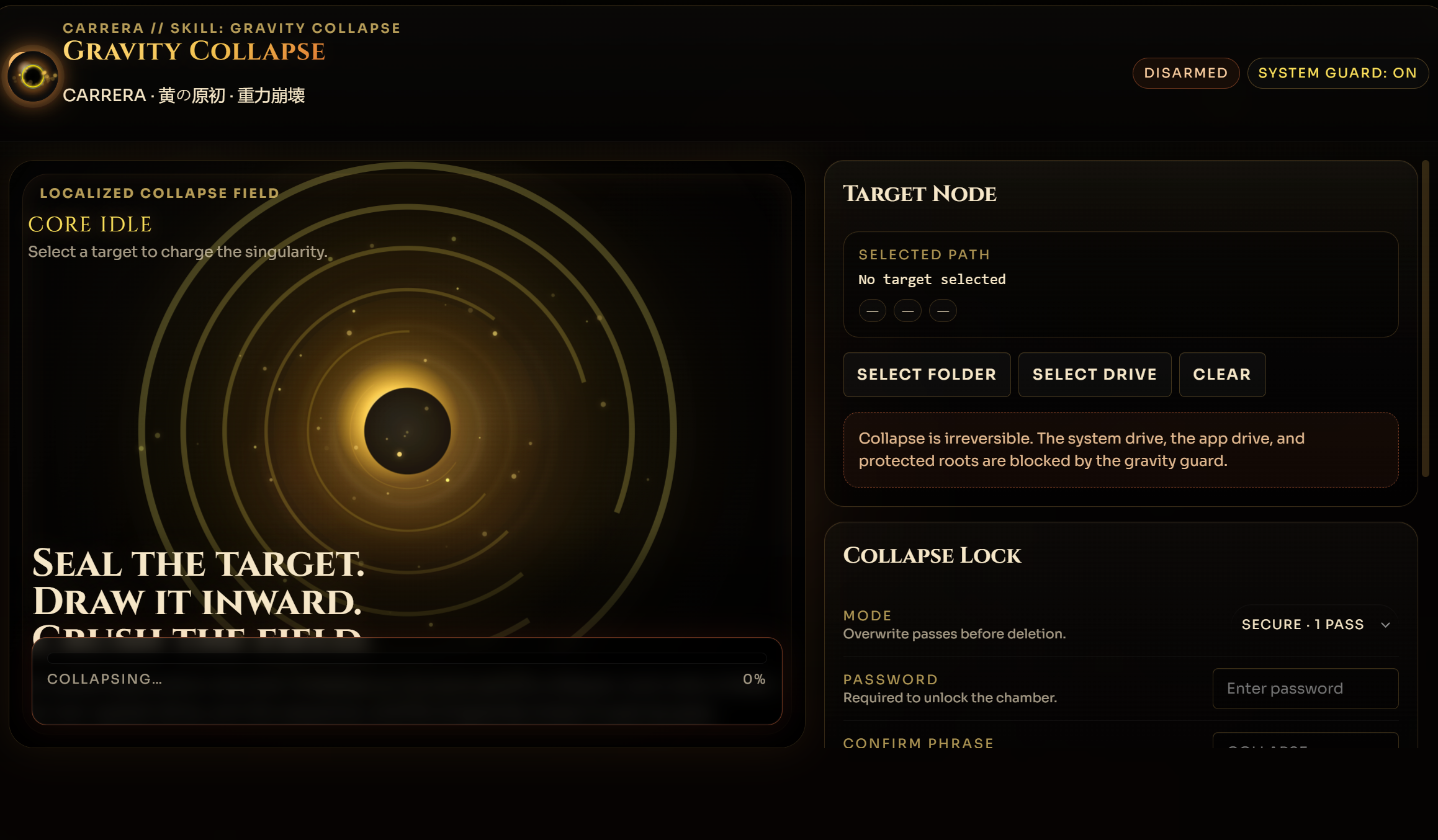
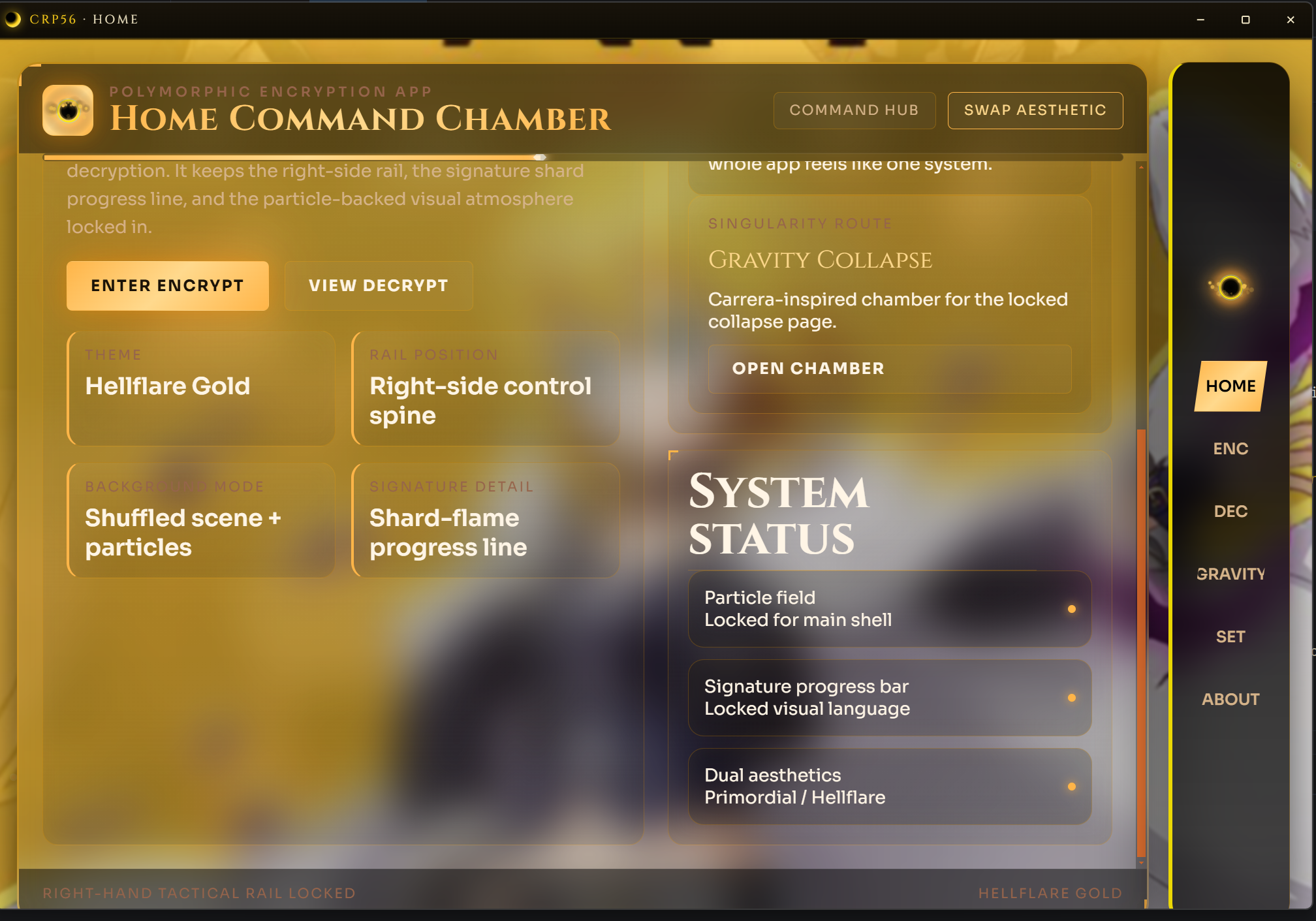
Signal Flows

Core Logic Path
1
Electron Renderer
UI actions, input, display
2
preload.js API
Controlled exposure to main
3
Electron Main Process
IPC handler, spawns bridge
4
Ruby Bridge Process
JSON stdin/stdout relay
5
CRP56 Ruby Core
Encryption, compression, phrases
Audio Path
1
Renderer UI Interaction
Click, confirm, back, error
2
preload.js Audio Bridge
Exposed audio command API
3
Electron Main Process
Routes command to FMOD
4
FMOD Audio Layer
Master, SFX, music groups
5
SFX / Music Playback
Volume, mute, mixer state

Project Layout

crp56/ structure
crp56/
├── ruby-core/
│   ├── main.rb
│   ├── lib/
│   │   ├── crypto.rb
│   │   ├── file_crypto.rb
│   │   ├── compression.rb
│   │   ├── phrase_store.rb
│   │   ├── payload.rb
│   │   └── errors.rb
│   ├── data/
│   └── temp/
│
├── electron-app/
│   ├── main.js
│   ├── preload.js
│   ├── renderer/
│   │   ├── index.html
│   │   ├── styles.css
│   │   └── app.js
│   ├── bridge/
│   │   └── ruby_bridge.js
│   ├── audio/
│   │   ├── sfx/
│   │   └── music/
│   └── fmod/
│
└── README.md

Ruby Workflow

cd ruby-core
              ruby main.rb

Open ruby-core/ in RubyMine. Run directly. No gem packaging needed for a private project.

Electron Workflow

cd electron-app
              npm install
              npm run dev

Electron spawns the Ruby bridge from the main process and starts the FMOD audio layer. JSON messages flow over stdin/stdout.

Migration Stages

Stage 01
Rebuild encryption logic in plain Ruby
Stage 02
Rebuild compression logic in plain Ruby
Stage 03
Recreate file format and payload handling
Stage 04
Add phrase storage and utility helpers
Stage 05
Connect Ruby core to Electron through the bridge
Stage 06
Integrate FMOD audio into the Electron shell
Stage 07
Replace legacy WPF UI with the new desktop interface

App Gallery

CRP56 gallery image

Status & Repository

Current Direction

  • WPF version is the legacy build — no longer active.
  • Ruby is the core implementation language.
  • Electron is the new desktop shell and UI runtime.
  • FMOD handles all audio playback and mixer control.
  • RubyMine is the primary IDE.
  • Private personal project — no public gem packaging.
Ruby Core Electron Shell Private

Notes

  • File and encryption format versioned from the start — future updates stay readable.
  • Ruby core stays separate from Electron UI code for maintainability.
  • Electron is the presentation layer; Ruby is the logic layer.
  • FMOD is desktop infrastructure — it does not belong in the Ruby engine.